


Skill graph, a personal profile card, and project history
Your personal profile has had its biggest redesign yet. Log in and you’ll find a new AI-generated skill graph, a personal profile card, and a place to showcase the projects you’ve delivered.
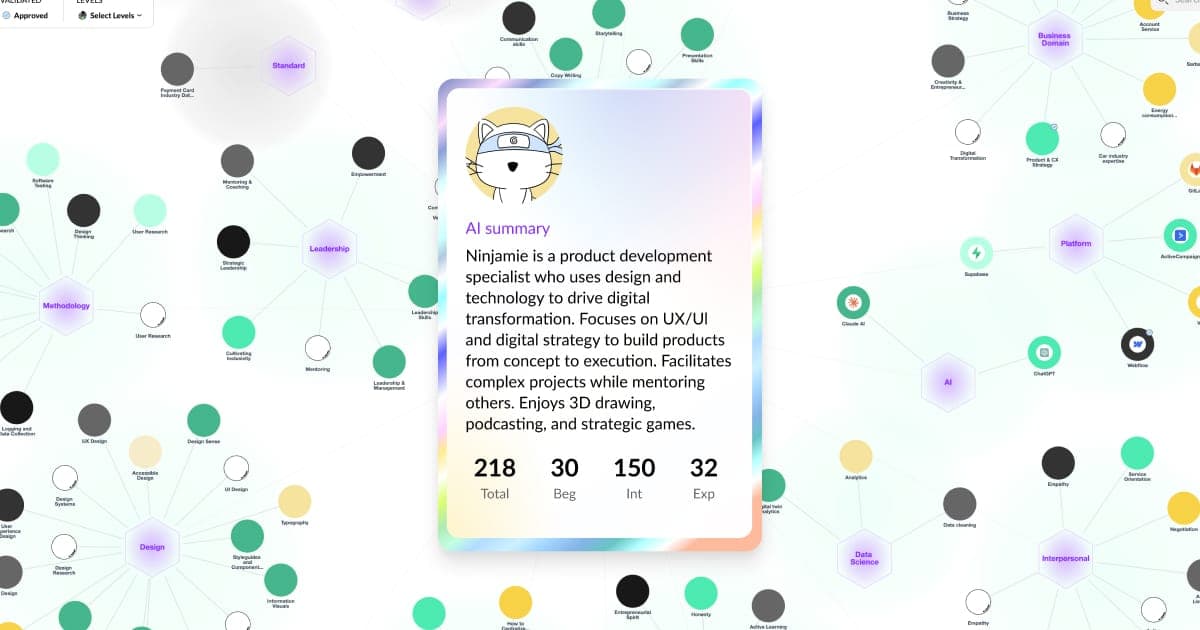
Your Skill Graph
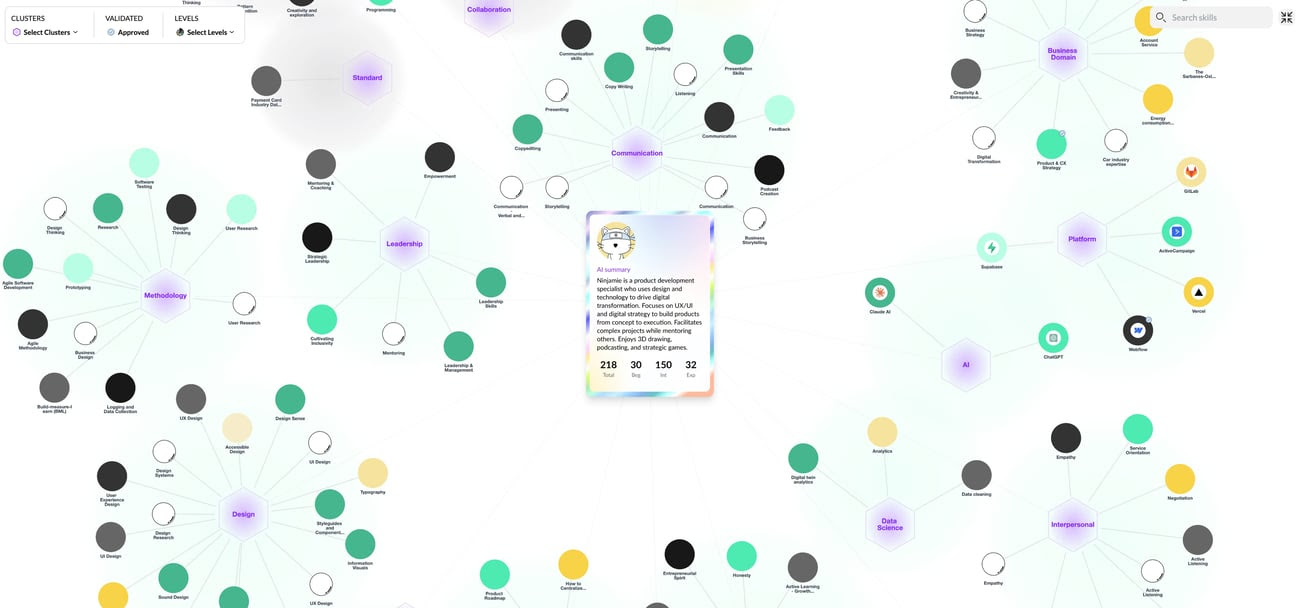
Every skill on your profile is now clustered by AI into meaningful groups, a living map of your competence. Open it full-screen to filter by skill level, by what’s been validated, or by specific clusters. It’s a surprisingly fun way to see yourself. Add more skills and your graph gets richer. Go to My Skills in the menu and use Presets, My Skills, or My Certifications.
Where to find itAfter logging in, click your circle in the top right → View profile. Use the icon at the top right of the graph to go full-screen and apply filters.
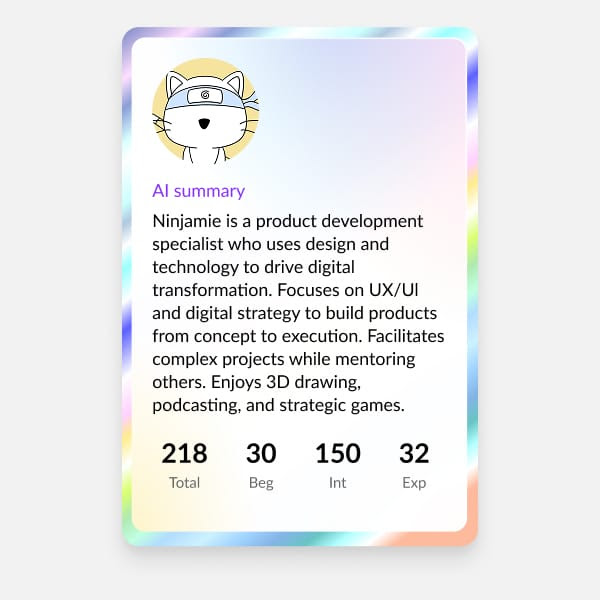
Your profile card
A beautiful, at-a-glance summary of who you are professionally.
An AI-written summary of your core competence, plus the number of skills you hold at beginner, intermediate and expert level. Your story, distilled.
Where to find itAfter logging in, click your circle in the top right → View profile. Your profile card sits at the top of the skills graph.
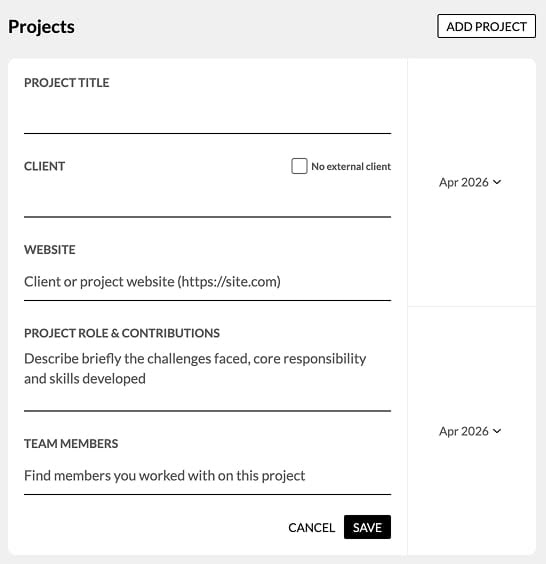
Project history
You can now add the projects you’ve delivered inside the company, not just your previous employers.
Add the client, your role, what you were responsible for, and tag the colleagues you worked with. Your projects appear on your profile so others can see what you’ve done and click through for the details.
Built with consulting and professional services in mind. Powerful for anyone.
Where to find itAfter logging in, click your circle in the top right → Profile settings → Project history → Add project.
Two minutes, one profile
Log in, open your profile, add a few skills, add a project. Watch your graph come to life.
That’s it for 5.1. Tell us what you think at wow@muchskills.com.
See it on your own data
Book a meeting and we’ll show you this release with your organisation’s skills.