


BambooHR
Steps needed to integrated BambooHR to MuchSkills
How to
MuchSkills connects to BambooHR to import and sync your employees, their master data, reporting structure and time-off, automatically and on a single click.
Before you start (important)
The BambooHR API key inherits the permissions of the user who creates it. The API acts as that person. If that user cannot see the employee directory, the fields, or time-off in BambooHR, MuchSkills will not receive that data either, and it will fail silently, with no error on the BambooHR side.
To avoid this, make sure the API key is generated by a user with full administrator access, or that the user behind the key has been granted access to:
- The employee directory
- All 8 employee fields listed in Step 2
- Time-off (if you want vacation and absence data synced)
Step 1 - Create your BambooHR API key
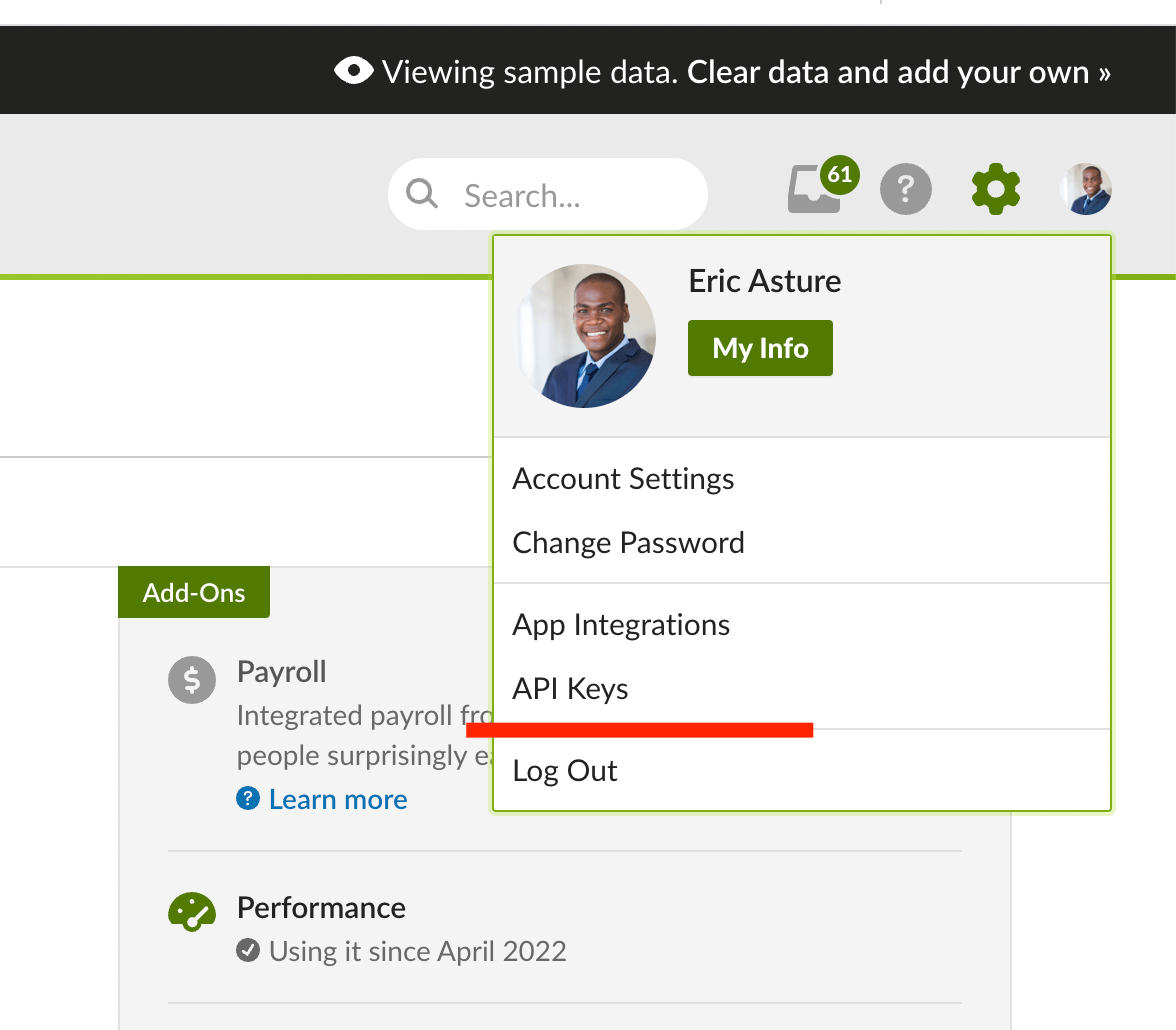
In BambooHR, click your name in the lower-left corner of any page to open the user menu, then select API Keys (this option only appears if your account has sufficient permissions).
Generate a new key and give it a clear name, e.g. MuchSkills.
Tip: Create the key from an admin account. See "Before you start" above.
Step 2 — Confirm the fields the key can access
MuchSkills syncs the following employee attributes. Make sure the account behind the API key can view all of them in BambooHR:
- First Name
- Last Name
- Position
- Supervisor
- Department
- Profile Picture
- Status
All 8 attributes are required for the integration to sync correctly.
Time-off / vacation
MuchSkills also imports time-off (vacation and absence) data, which powers availability and capacity planning. Time-off is pulled separately from the employee fields above, so the account behind the API key must additionally have view access to time-off in BambooHR. If the key cannot see time-off, employees will still sync but their vacation data will not appear in MuchSkills.
Step 3 - Paste your API key and subdomain into MuchSkills
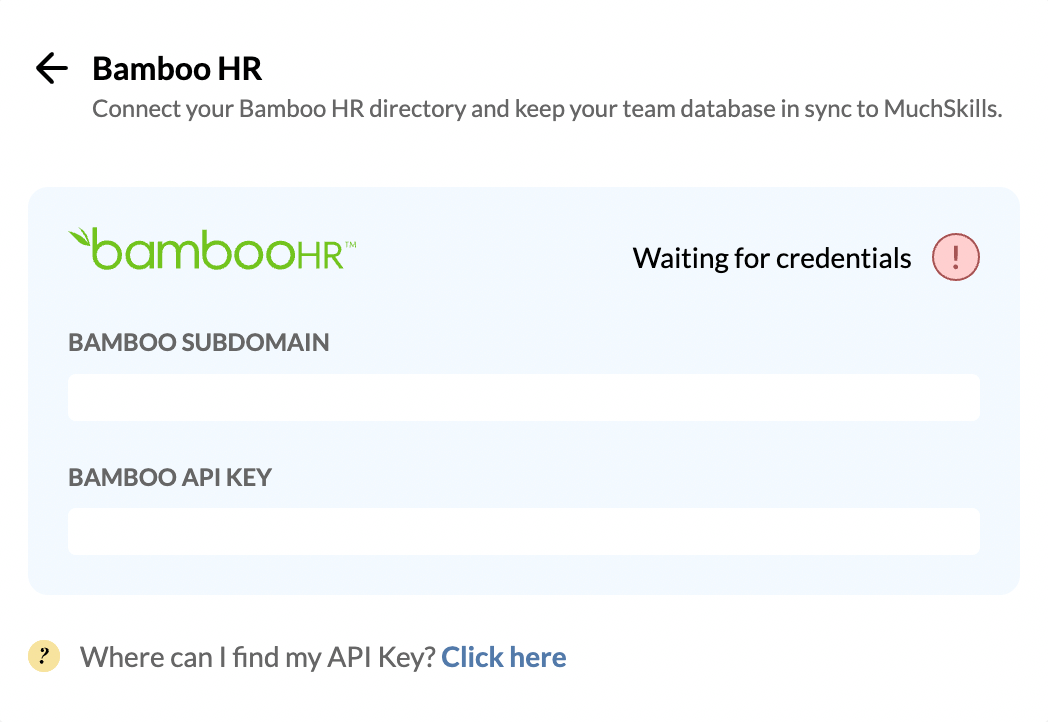
Go to MuchSkills team settings → Integrations → BambooHR and enter:
- BambooHR API Key - the key you created in Step 1.
- BambooHR Subdomain - your subdomain only.
Enter the subdomain, not the full web address.If your BambooHR URL is https://companyname.bamboohr.com, enter only companyname. Do not paste https://companyname.bamboohr.com/home.
IMPORTANT - Only click Sync Employees once you are ready to start the deployment
Step 4 - Inform your employees
Let your team know you are using MuchSkills. They should follow the instructions in the email MuchSkills sends them. Once they do, you can view all employee skills and use every MuchSkills feature — Skill Gap Analysis, Org Chart, Custom Skills, Team Builder, resource and capacity planning, and more.
Benefits
Import and sync employees seamlessly. Import all employees, their personal data and who they report to — in a single click. When someone joins or leaves in BambooHR, they are instantly added or removed in MuchSkills.
Automated transfer of data. Employee master data, email, reporting structure, department, profile picture and time-off are synchronised automatically. Synchronisation runs frequently to keep MuchSkills up to date.
Availability at a glance. With time-off synced, capacity and resource planning in MuchSkills reflect who is actually available.
Common errors
"Failed to fetch employees" (but the API shows as connected).This is almost always a permissions issue, not a connection issue. A green "API Connected" status only confirms the key and subdomain authenticated, it does not confirm the key can read your data.
Check, in order:
- API key permissions. The user who created the key must have full access to the employee directory and all 8 fields. If in doubt, regenerate the key from an admin account and re-sync. This resolves the majority of cases.
- Subdomain format. Confirm the subdomain field contains only your subdomain (e.g. companyname), not the full URL.
- Time-off not appearing. Employees sync but vacation data is missing, the key's user needs view access to time-off in BambooHR.
If it still fails after these checks, contact MuchSkills support and we'll help you diagnose it.